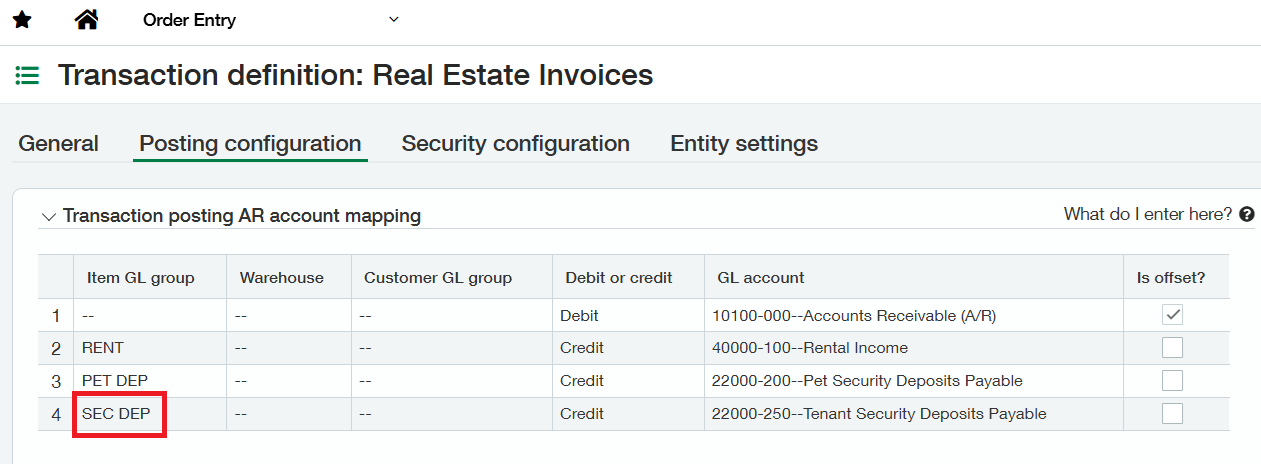
Before importing Historical Deposits, specific configurations must be completed in Sage Intacct to ensure accurate posting and reconciliation.
1. Create General Ledger Accounts
-
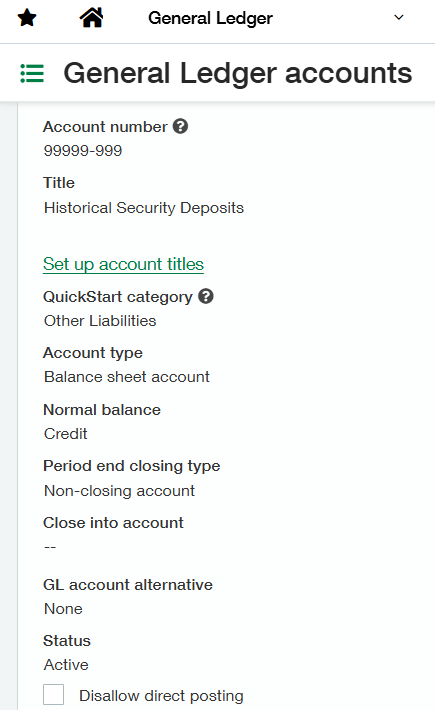
Add a GL Account for Historical Deposits under:
General Ledger → GL Accounts
This account will hold the liability balance for imported historical deposits.
2. Set Up HSD Bank Account
-
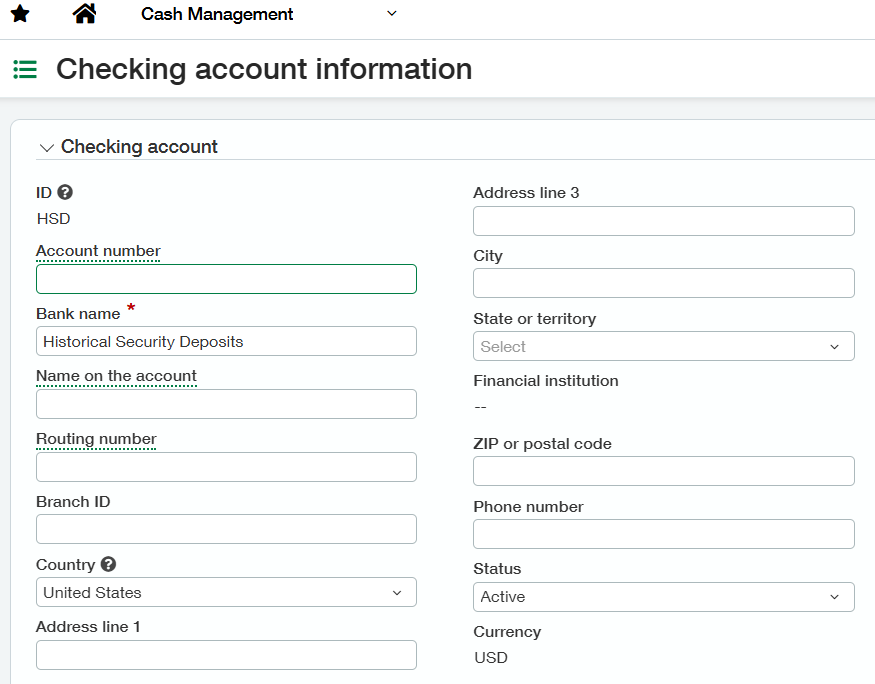
Add an HSD Bank Account under:
Cash Management → Checking -
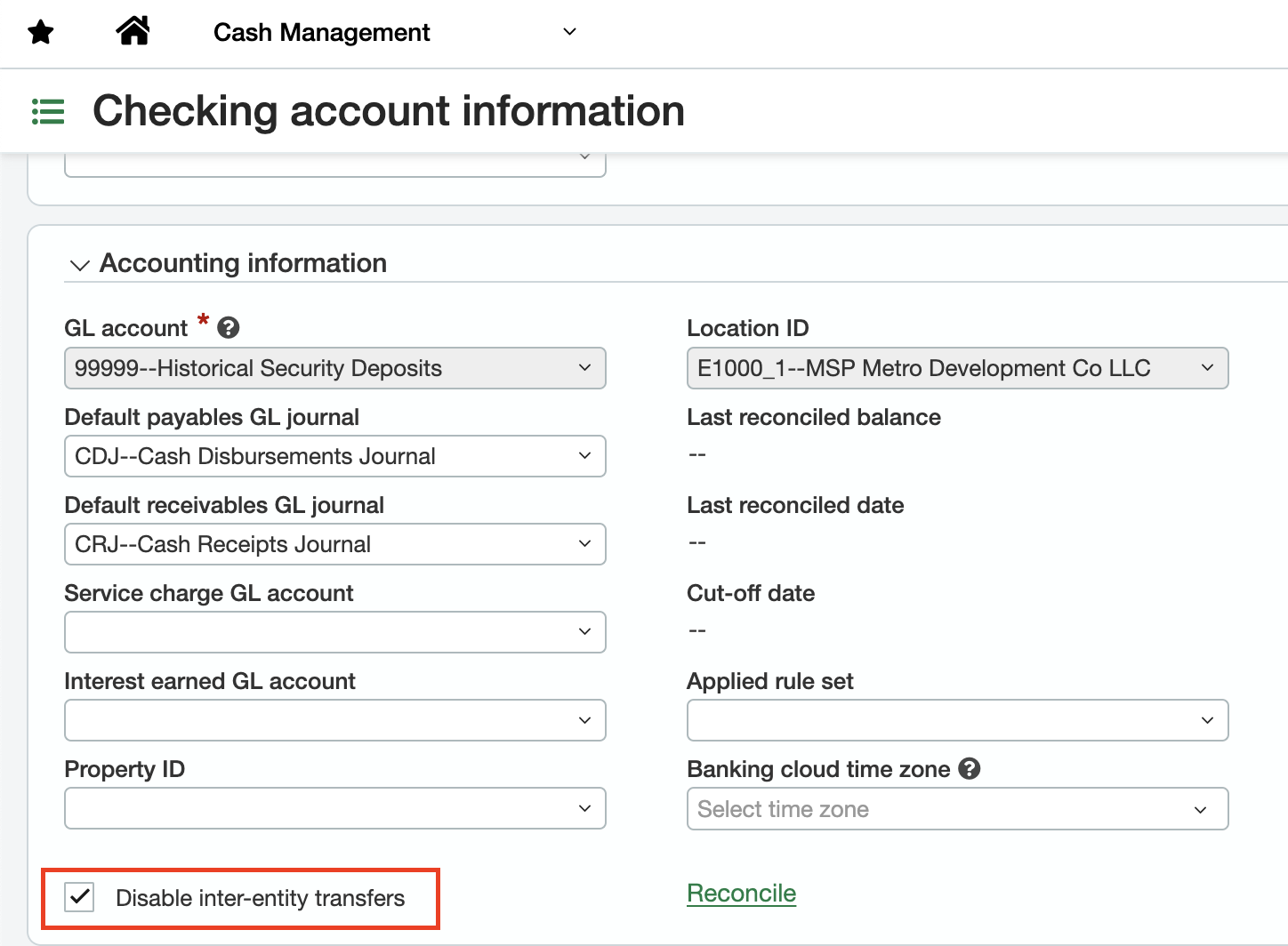
In the account settings, enable the “Disable inter-entity transfer” option.
This ensures deposits do not generate inter-entity transactions during import.
3. Configure Journal Entries
-
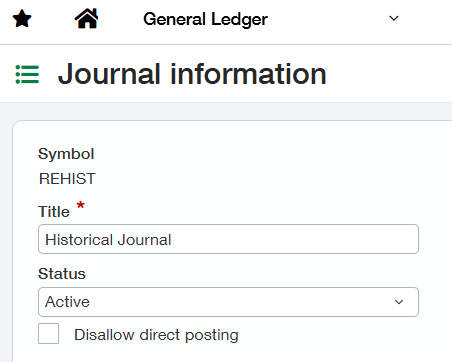
Add the REHIST symbol for Journal Entries under:
General Ledger → Journal Entries
This symbol identifies journal transactions associated with historical deposits.
4. Define Real Estate Invoice Transaction
-
Add a Real Estate Invoices Transaction Definition for the Item GL Group corresponding to historical deposits under:
Order Entry → Transaction Definitions → Real Estate Invoices → Posting Configuration -
Link the transaction definition to the appropriate GL Account.