

-
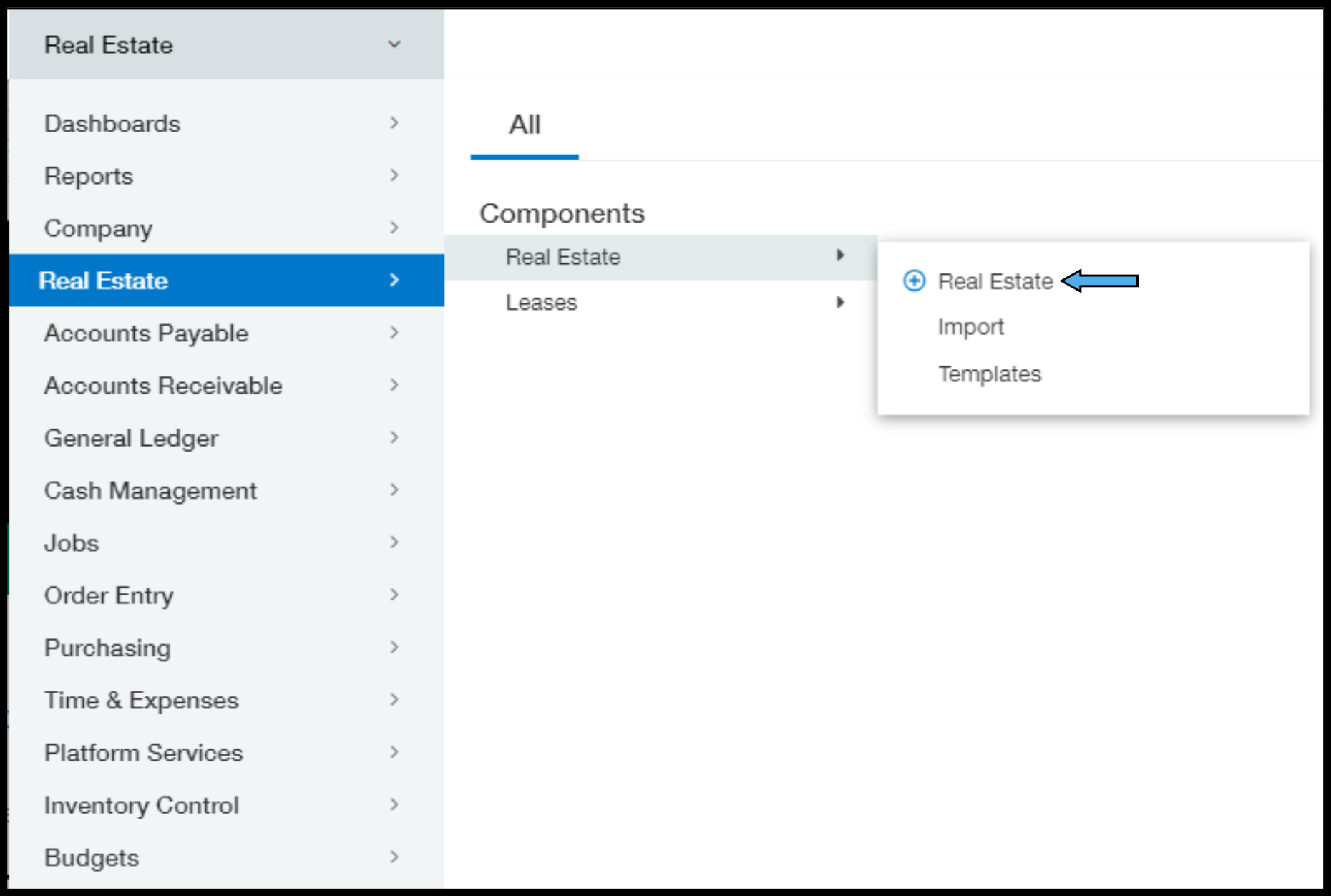
Navigate to the Real Estate Module
-
Applications – Real Estate – Real Estate – Real Estate
-
-
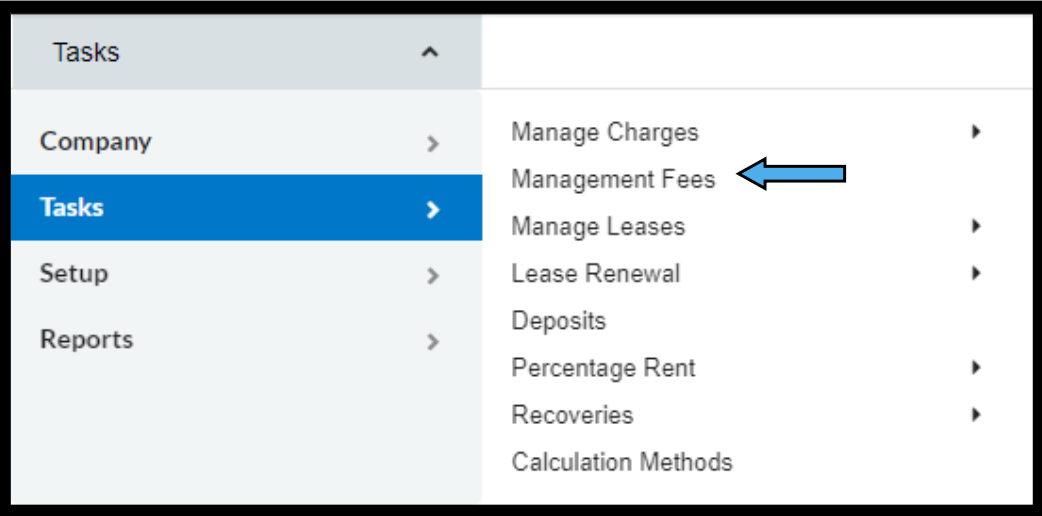
Navigate to the Management Fees screen
-
Tasks – Management Fees
-
-
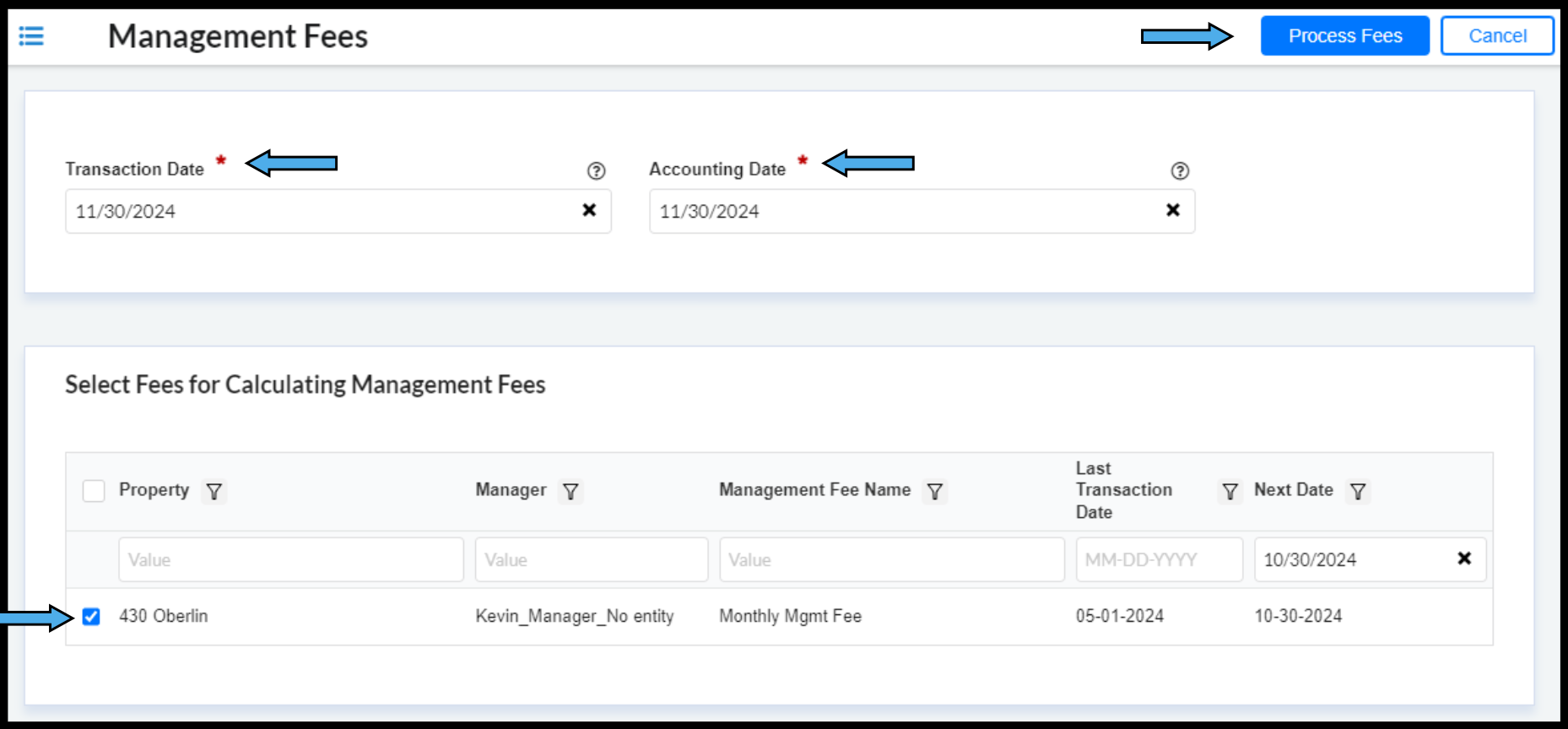
Enter Dates
-
Transaction Date
-
Accounting Date (GL Posting Date in OE/AR)
-
-
Select Properties to Calculate Management Fees for
-
Check the box next to any and all applicable properties
-
-
Click Process Fees
-
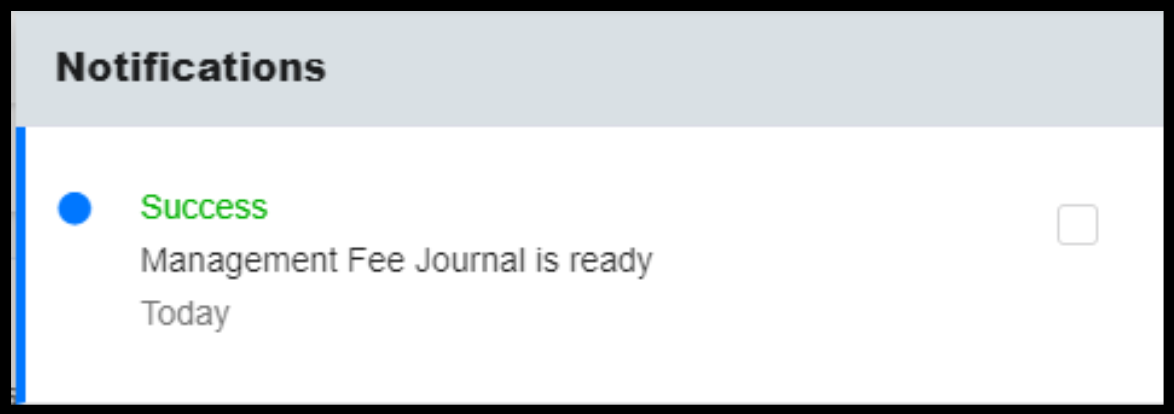
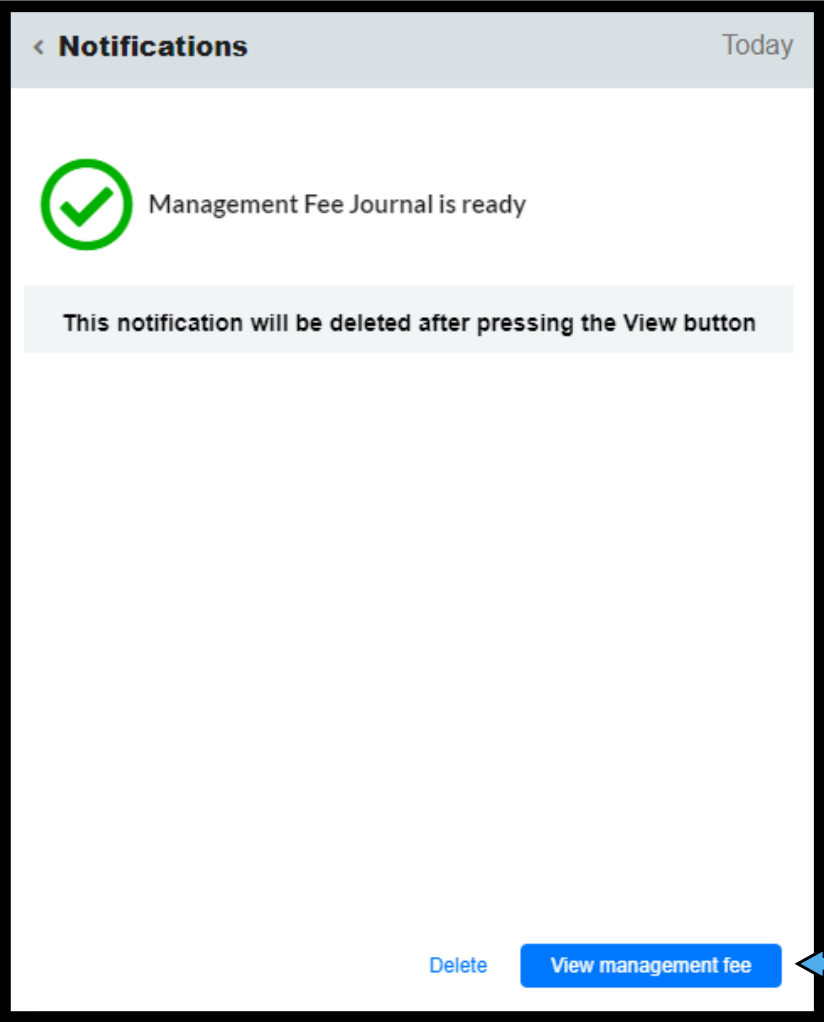
Wait for Management Fee notification
-
Click the bell in the top right corner of your screen
-
Click the Notification to View the details
-
-
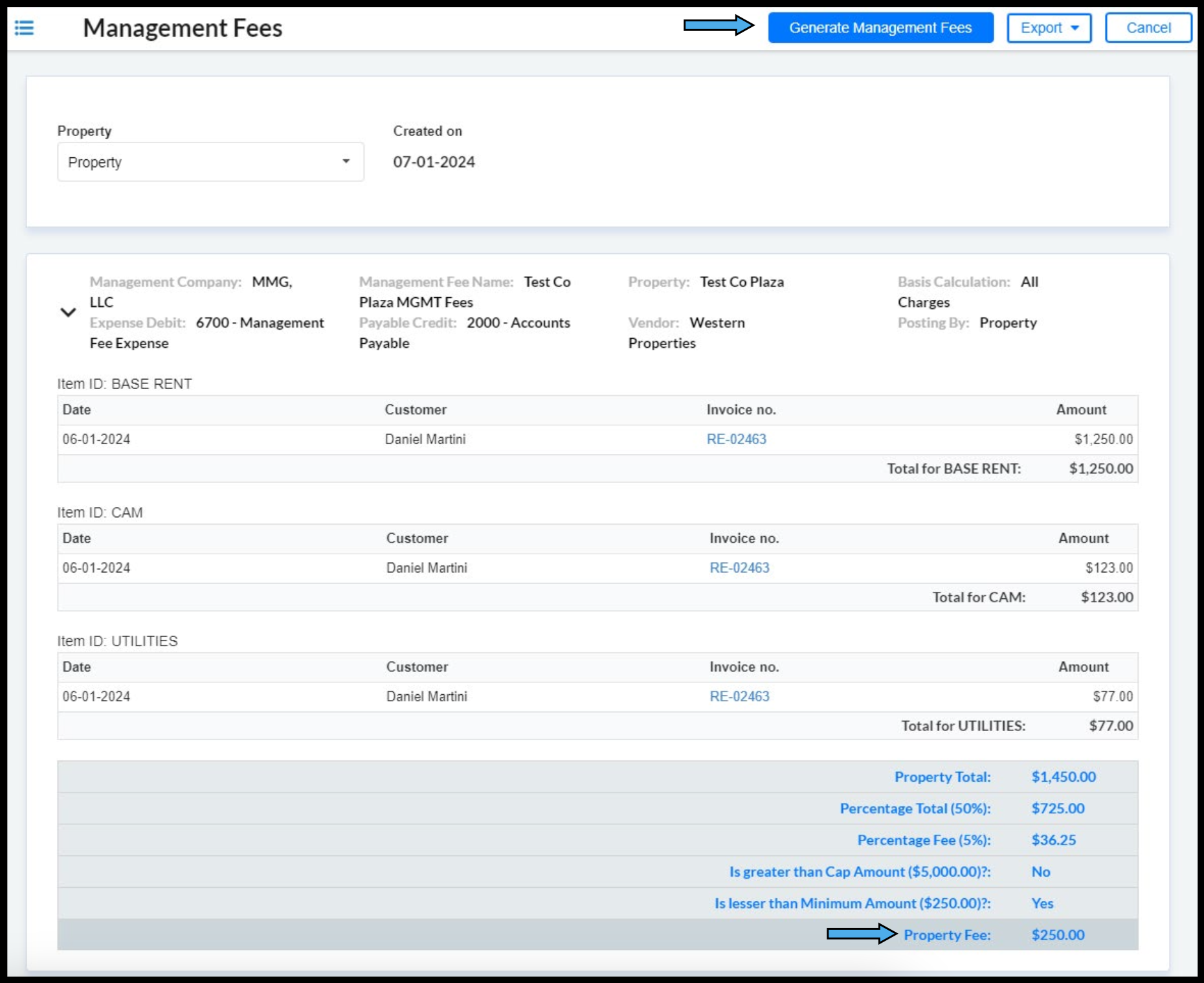
Review Management Fee Details
-
Export the Management Fee Details
-
Click Export – PDF
-
-
Generate or Reject the Management Fee
-
If the Management Fee is correct click Generate Management Fees
-
If there are any issues with the Management Fee click cancel
-
-
Locate the Management Fee invoice
-
Navigate to AP in Core Intacct
-
Applications – Accounts Payable – Bills
-
-
Use Filters to Locate the Bill on the List View Screen
-