
This guide provides step-by-step instructions for configuring and assigning the View Only role in Sage Intacct Real Estate (SIRE). This role is intended for users who need read-only access to the system.
Create the SIRE View Only Role
To configure a View Only role:
Required Subscriptions
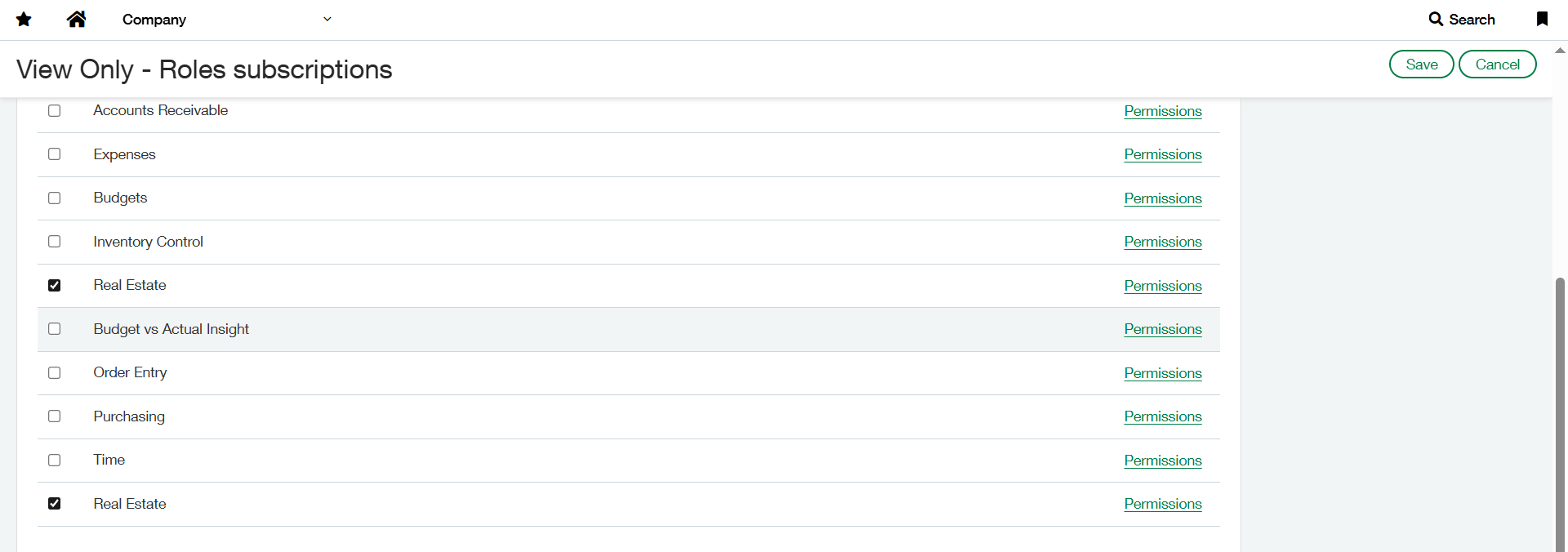
Only the two Real Estate subscriptions are required for this role:
-
Real Estate
-
Real Estate
Permissions Setup
-
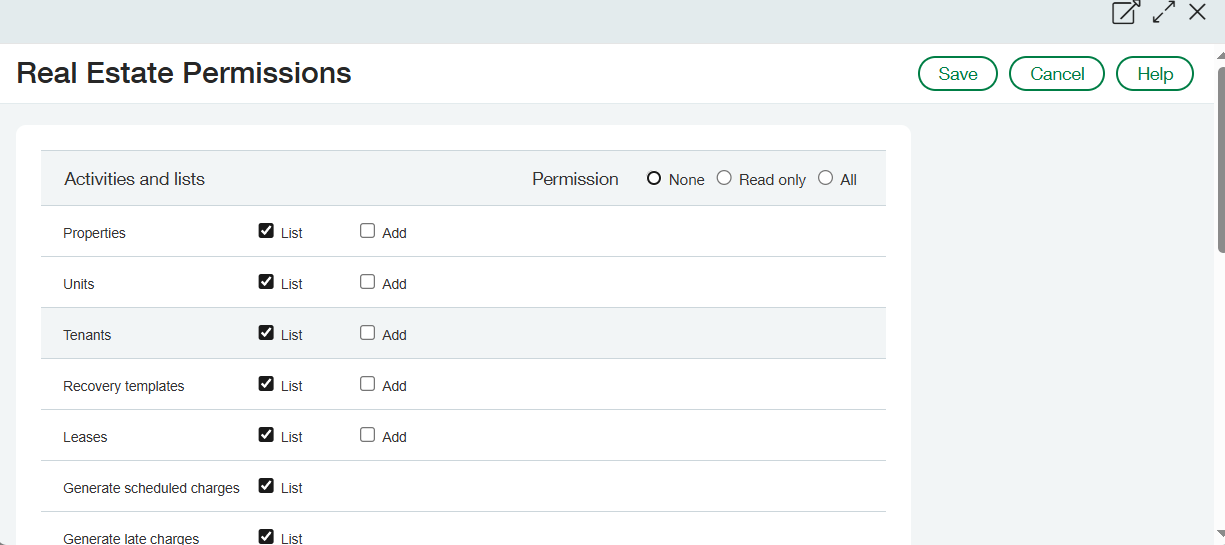
First Real Estate permission: Assign only the List permission for all objects.
-
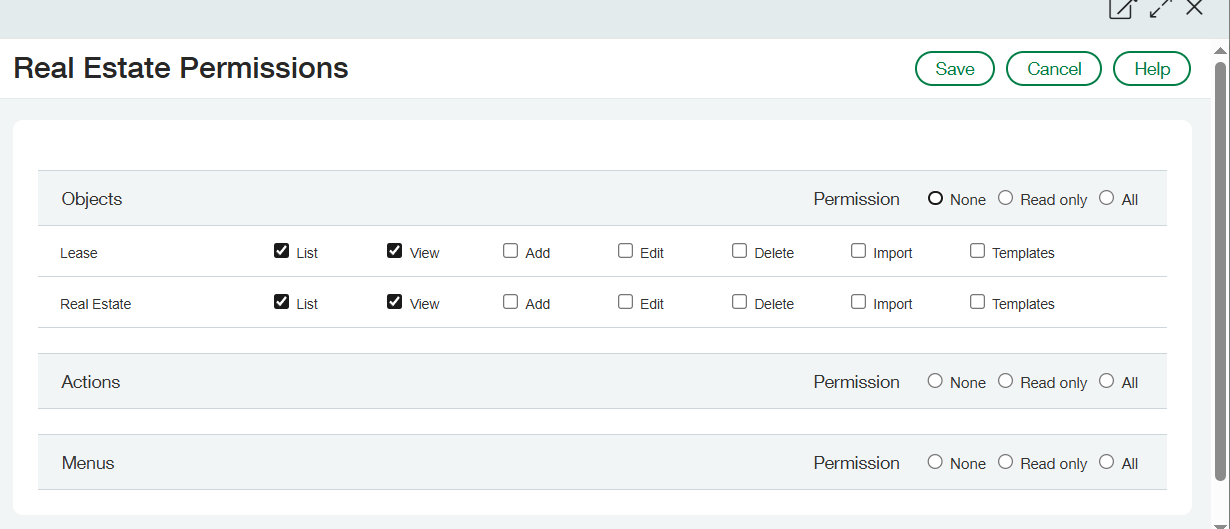
Second Real Estate permission: Assign both List and View permissions for all objects.
Assign the View Only Role to Users
Once the View Only role is created:
-
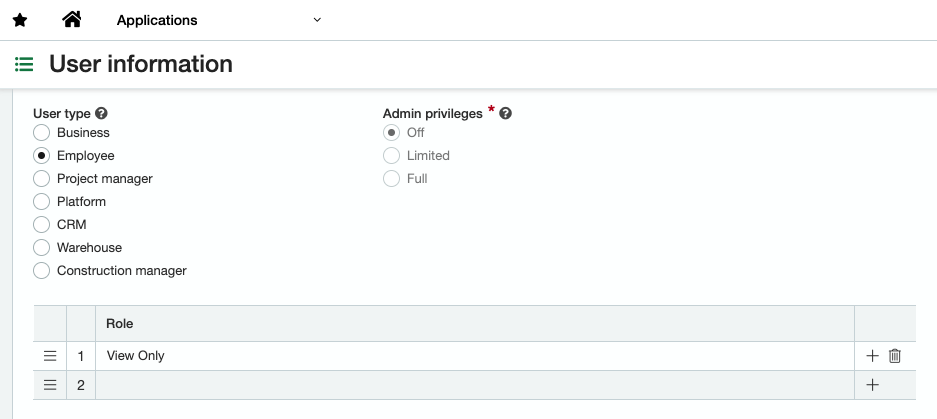
Assign it to the appropriate users.
-
Do not assign any additional Real Estate roles to the same user.
If a user is still able to Edit or Add Real Estate objects, verify that no other roles with Real Estate permissions are assigned to their user profile.
User Access Overview
Setup Menu Access
-
Users will have read-only access to all items in the Setup menu.
-
They can view and list configurations, but cannot create or edit any items.
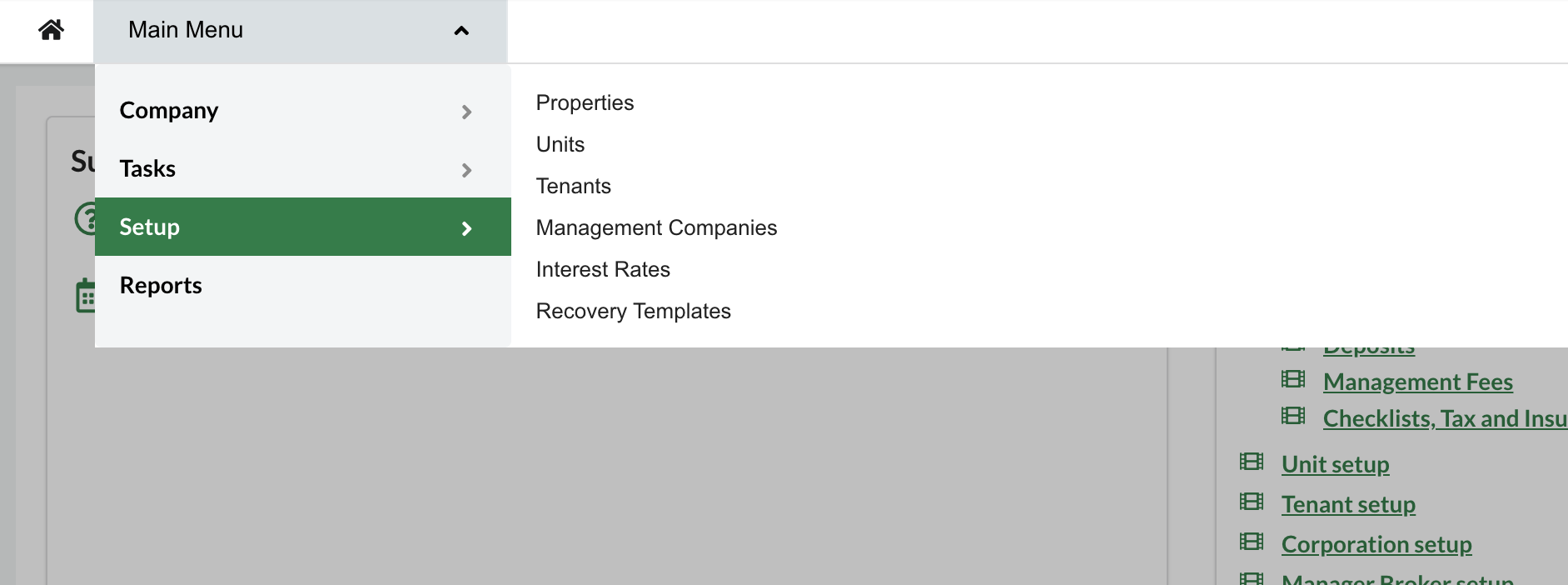
Task Menu Access
Users will have limited access to the following items:
-
Leases
-
Terminate Leases
-
Tenant Statement
-
Deposits
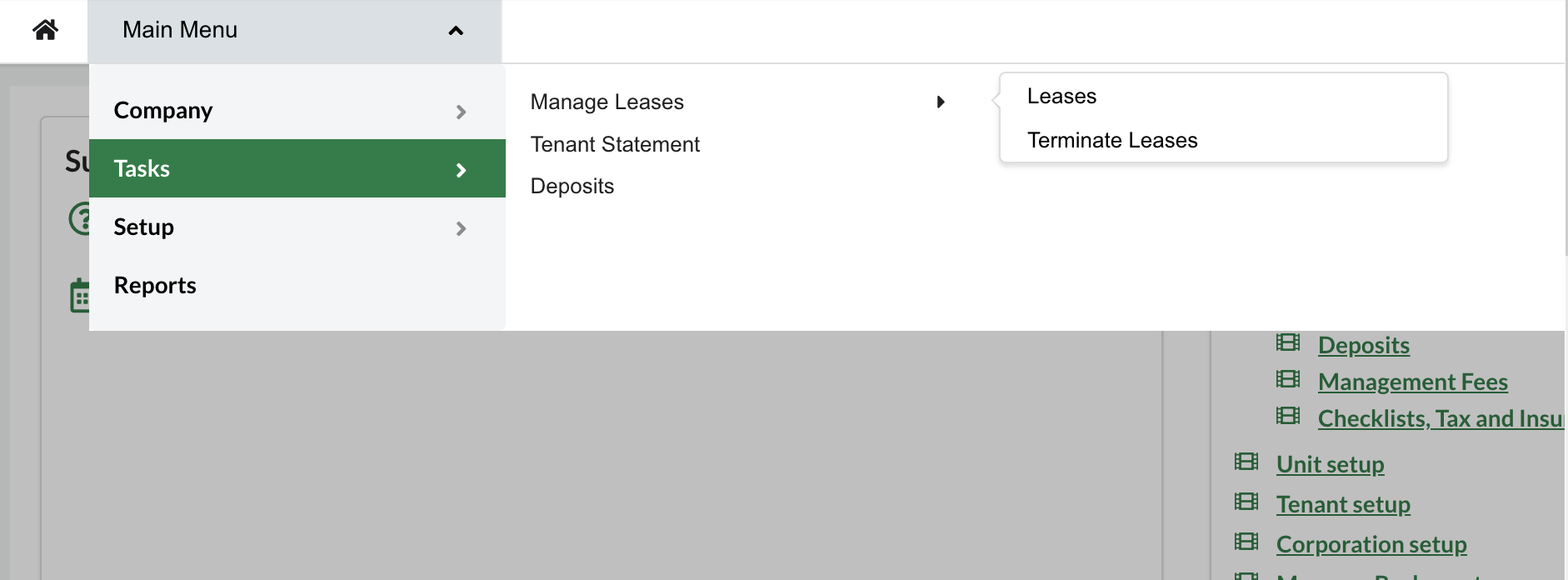
My Preferences Access
-
Users can view the My Preferences section.
-
No changes can be made or saved to personal settings.
Homepage Shortcuts
-
The Shortcuts section on the homepage will not be visible to users with the View Only role.
Summary
|
Feature |
View Only User Access |
|---|---|
|
Setup Menu |
View & List only |
|
Task Menu |
Limited access |
|
My Preferences |
View only |
|
Homepage Shortcuts |
Not visible |
|
Editable Permissions |
None |